 PHP HTML Editor
How to add an image gallery to a PHP HTML editor
Browse, upload and insert pictures from your own server, with folders and limits, in a few lines of PHP.
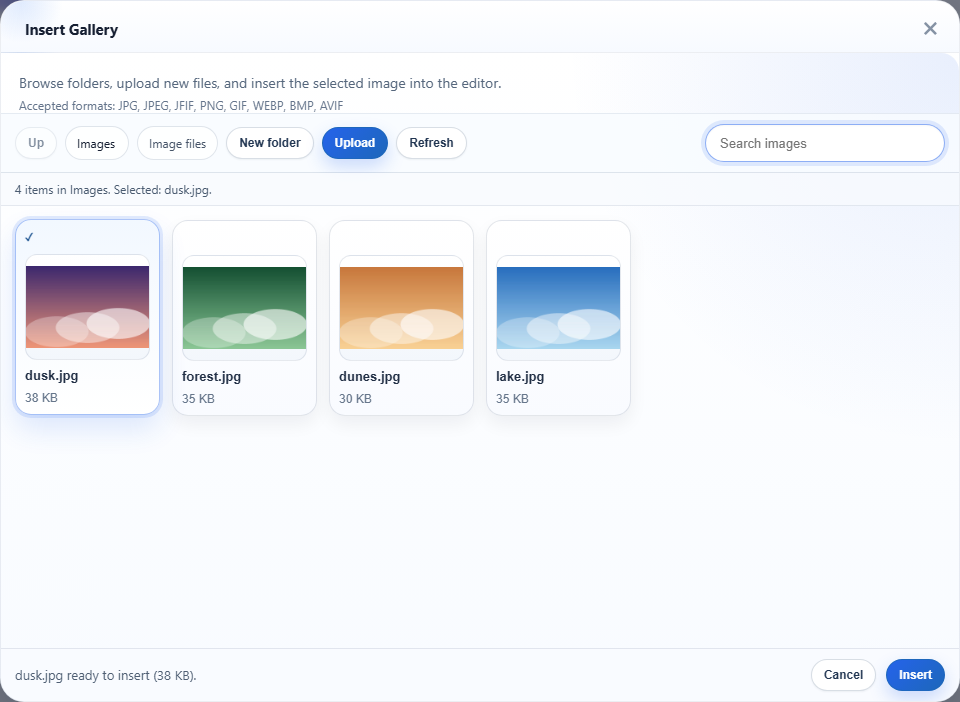
People who write on your site want to add pictures without leaving the page. They want to see what is already there, pick one, or upload a new one. That is what an image gallery in the editor does. In PHP HTML Editor it takes a few lines, and the pictures stay on your own server.
What your users get
The Insert Gallery button on the toolbar opens the dialog in the picture above. From there a user can:
- browse the folders you made available and go back up,
- search the pictures in the folder by name,
- upload a new picture straight into the folder that is open,
- create a folder, if their role allows it,
- insert the chosen picture into the text.
JPEG, PNG, GIF, WebP, BMP and AVIF are accepted. A BMP is stored as PNG, and AVIF needs a PHP GD build that can read it. If yours cannot, the user is told and asked for a different format.
Add it to a page
Copy the richtexteditor folder into your site. Then one PHP file is enough:
<?php
require_once __DIR__ . '/richtexteditor/phphtmleditor/autoload.php';

use PhpHtmlEditor\Editor;

$editor = new Editor('Article');
$editor->policyFile = 'default.config';   // signed-in members
$editor->handleRequest();                 // answers gallery and upload requests, before any output
?>
<form method="post">
    <?php echo $editor->render(); ?>
    <button type="submit">Save</button>
</form>
There is no separate upload script to write or protect. The same page answers the gallery's requests. The uploads folder is created the first time it is needed, so the web server only needs permission to write there. There is no database, and Composer is optional.
Who may do what
A gallery on a public page should not let every visitor fill your disk. So the three policy files in the package give each kind of user a sensible start:
| Policy file | In the gallery | Largest picture |
|---|---|---|
guest.config | Browse and insert only | No uploads |
default.config | Also upload and create folders | 4 MB |
admin.config | Also rename, delete and overwrite | 20 MB |
A guest does not even see the Upload and New folder buttons:
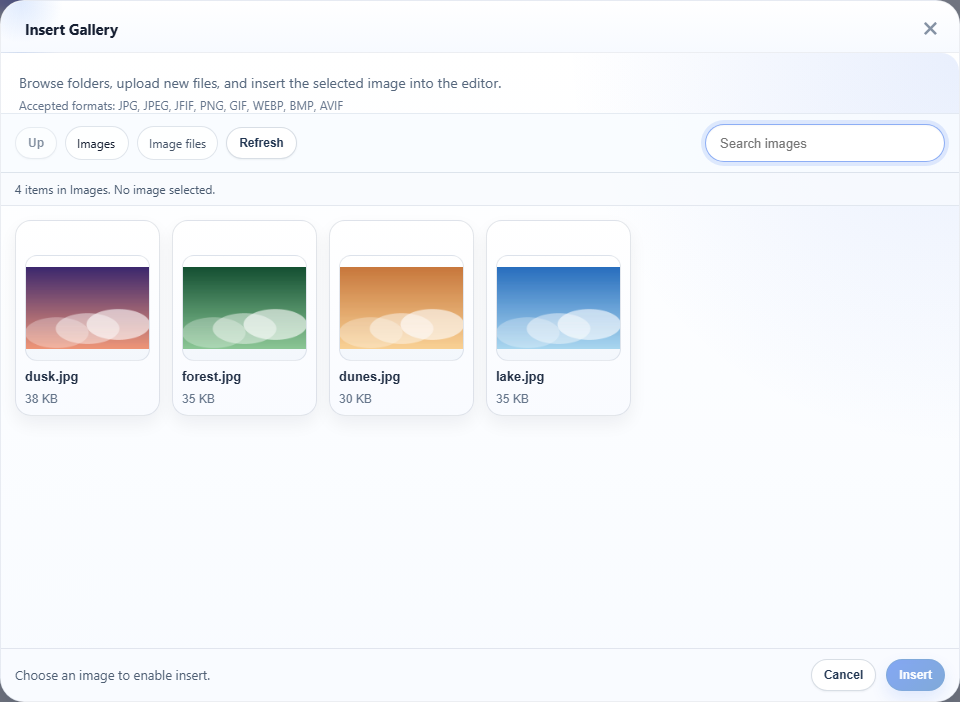
Choosing the policy is one line, and your login system decides it. The article on role-based permissions shows how.
What happens to each picture
A gallery upload is not just copied to disk. On the server:
- the file is identified by its contents, so a script renamed
photo.jpgis refused, - a picture larger than the policy's limit is resized (1920 pixels by default),
- a phone photo is turned the right way up,
- camera data and GPS location are removed.
A whole folder also has a limit, 200 MB in the included policies, and all of these numbers are yours to change.
Keep users' pictures apart
By default everyone shares one folder of images, which suits a company site. For a forum or a shop with many sellers, give each user their own folder. It is one setting.
What stays your job
Two things, both short. Tell the editor who the user is by choosing the policy from your login. And make sure the web server never runs code from the upload folder; the deployment guide has the settings for IIS, Apache and nginx. The package refuses server scripts on its own, and this setting is a second lock on the same door.