 PHP HTML Editor
A PHP file manager with permissions for guests, members and admins
What each role sees and may do, and why hiding a button is not the same as refusing the request.
Sooner or later someone needs to add a price list, a contract or a video to a page. A file manager inside the editor lets them do that without FTP and without asking you. The worry is obvious: who else can now delete things? This guide shows what each kind of user gets, and where the rules are enforced.
What the file manager does
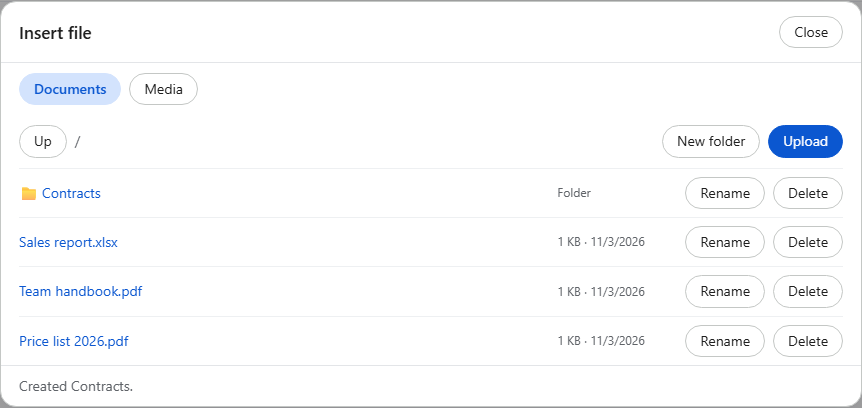
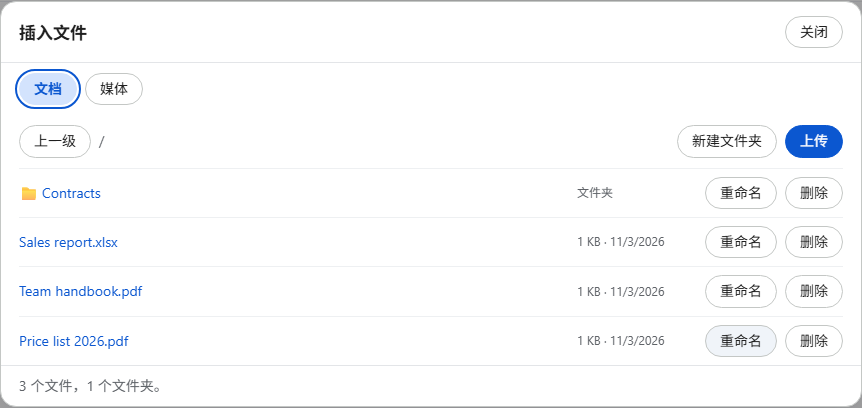
The Insert file button on the toolbar opens a dialog with two tabs, Documents and Media. Choosing a document inserts a link to it. Choosing a video or sound file inserts a player. An admin sees everything in the picture above: folders, Upload, New folder, and Rename and Delete on every row.
The same dialog, three roles
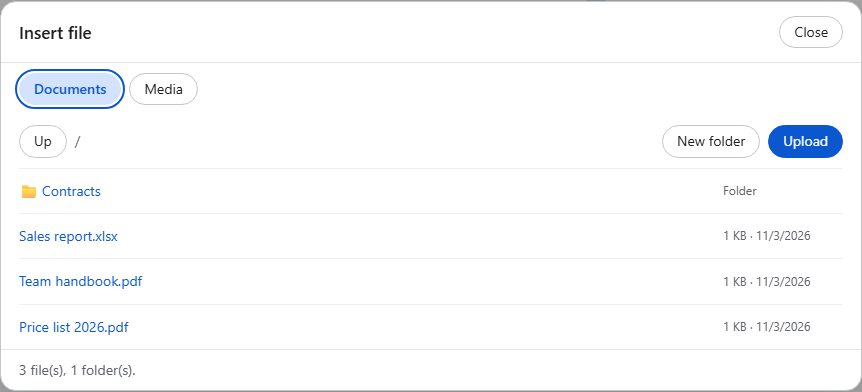
A member can add files but cannot remove or rename anything, so one member cannot damage what another uploaded:
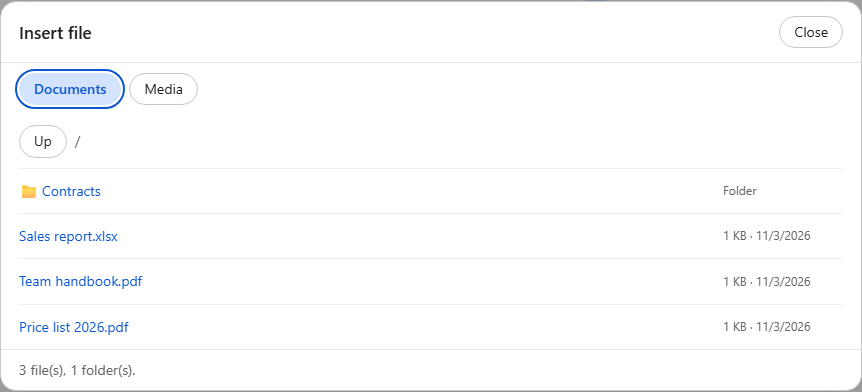
A guest can only browse and insert what is already there:
Hiding a button is not security
Anyone can send a request by hand, without using your page at all. So the buttons above are only a courtesy, so people are not offered something that would fail. The real decision happens on the server, on every request:
- The session token. Each request must carry a token from this visitor's PHP session. Another site cannot read it, so it cannot make a signed-in user's browser delete files.
- The policy. Each operation has its own switch, such as
AllowUploadorAllowDeleteFile. Everything is off unless a policy turns it on. - The path. Every path is resolved inside the storage folder.
..is refused and symbolic links are not followed, so a crafted folder name cannot reach the rest of your site.
The browser can ask for a category or a folder. It can never choose the policy or widen it.
Mistakes get a clear answer
An admin who tries to rename a PDF to invoice.php gets this, and the file stays as it was:
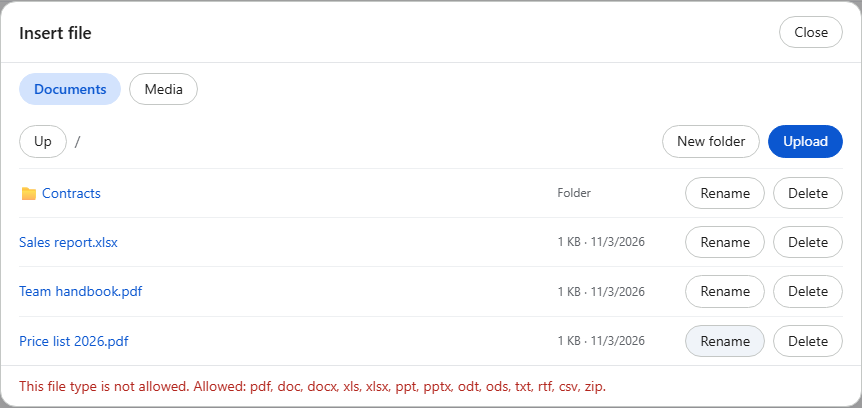
Messages from the server follow the editor's language, in 12 languages:
Turn it on
You already have it if you use the default or full toolbar. Choose the policy from your own login system:
<?php
session_start();
require_once __DIR__ . '/richtexteditor/phphtmleditor/autoload.php';

$editor = new PhpHtmlEditor\Editor('Page');
$role = $_SESSION['role'] ?? 'guest';   // set by your login code
$editor->policyFile = ['admin' => 'admin.config', 'member' => 'default.config'][$role] ?? 'guest.config';
$editor->handleRequest();
?>
The last part of that line matters: anyone your code does not recognize gets the guest policy, the one that can change nothing.
Which files are allowed
The included policies accept common office files in Documents (PDF, Word, Excel, PowerPoint, OpenDocument, text, RTF, CSV and ZIP) and common audio and video in Media, up to 50 MB. You can shorten or extend each list. PHP, ASP, HTML, SVG, JavaScript and other active types are never stored, even if a policy lists them.
One honest limit: pictures are checked by their contents, while documents are checked by name and type list. A file called report.pdf is stored without opening it. It cannot run on your server, but if your users exchange documents with the public, treat them as you would an e-mail attachment.